.png.8e1932637cddb5545967a863af3a105e.png)


About This File
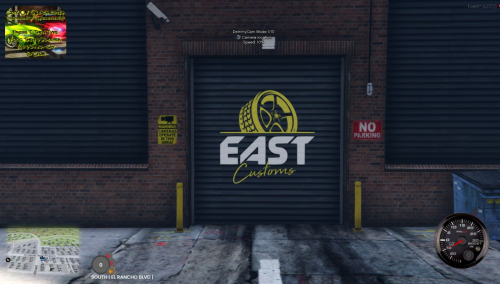
TIME STAMP - 45.38 shows the mlo working with no issues
CONVERTED FROM FIVEM TO SP
BY: DRIPSHOPGAMING
Look at the entire file because the dlc.rpf file is located inside along with the FIVEM version
INSTALL: eastcoastcustoms
1. run OpenIV
2. create new folder name it eastcoastcustoms & drag and drop dlc.rpf in the following path mods/update/x64/dlcpacks
3. go to mods/update/update.rpf/common/data open dlclist.xml and add the line dlcpacks:/eastcoastcustoms/
that's it
Edited by YungDrip2raw
Added video
![More information about "Debadged Vehicle Pack | 450 CARS - DigitalLativa [9GB!]"](https://launcherleaks.net/uploads/monthly_2024_08/debadged-vehicle-pack-450-cars-645028.thumb.webp.f1cd01e8175a89bcf9c68fe426456f44.webp)
.thumb.webp.9efc2f23bddff94214c45f99e747f9bf.webp)


Recommended Comments
Create an account or sign in to comment
You need to be a member in order to leave a comment
Create an account
Sign up for a new account in our community. It's easy!
Register a new accountSign in
Already have an account? Sign in here.
Sign In Now