.png.8e1932637cddb5545967a863af3a105e.png)





About This File
Resource is Open Source
Compatibility with ESX
Compatibility with QB-Core
you can leave a tip on paypal and I assure you all your money will be used in leaking the best stuff
https://paypal.me/cybershield1
Preview
Script presentation: SHOWCASE
CFX Forum Post: HERE
Features
- Compatible with ESX & QB-Core
- Script supports pma-voice, for esx: esx_status and for qb-core default food and drink system on trigger which is used in default qb-hud
- Customization Hud Menu per key and per command - it is possible to disable the access key to be available only on command or you can completely disable access to this menu
- When changing the position of any element on the HUD, a grid is displayed to allow the player to adjust the icons more precisely.
- Seatbelts - If you don't have a script for seatbelts on your server, you can use the ones available in the script, in the config you can set the minimum speed at which the player must hit something for there to be a possibility of falling through the windshield, and you can set the percentage chance of automatic death
- Hud Info - You can change the hud in the upper right corner in config to use icons or names from the translation.js file, you can change the icon to your server's logo in png or gif format and change the name underneath or remove it completely. In the info hud, you can also use the config to remove the cash balance and bank if you don't want it displayed.
- Fuel - if you use a fuel system you can use the fuel display on the speedometer but if you don't have a fuel system you can disable it with config and it will disappear completely from the player's hud
- Two speed units - KMH & MPH
- Two types of speedometer - Linear & Circle in the customization menu of the hud the player can choose the type he likes and change the color, scale and position.
- Two types of minimaps - Square & Circle, both maps scale their position depending on the user's game resolution. You can choose the first one which the player will start when he/she joins the server for the first time (the map type is saved in the client's cache, so when the player joins the server again the previous preset type of the map he/she chose will be loaded).
- Changing the position of HUD icons - You can freely adjust the position of icons according to the type you choose, horizontal/vertical. This is how they will be displayed. You can also completely disable them using the HUD customization menu. Importantly, you can disable the ability to position icons in the center of the screen in the config, so that the player cannot set, for example, the health status in the center, using it as a crosshair to shooting.
- Pulsating food and hydration icons when the player's status is below 20% to inform them.
- All available options in the Hud Customization Menu are saved locally with the user in the game cache, this means that rejoining will load the user's previous hud settings and he won't have to configure it every time he connects to the server.
- Full support
Config
For more informations or full view for configs, check our script documentation: HERE
Resmon
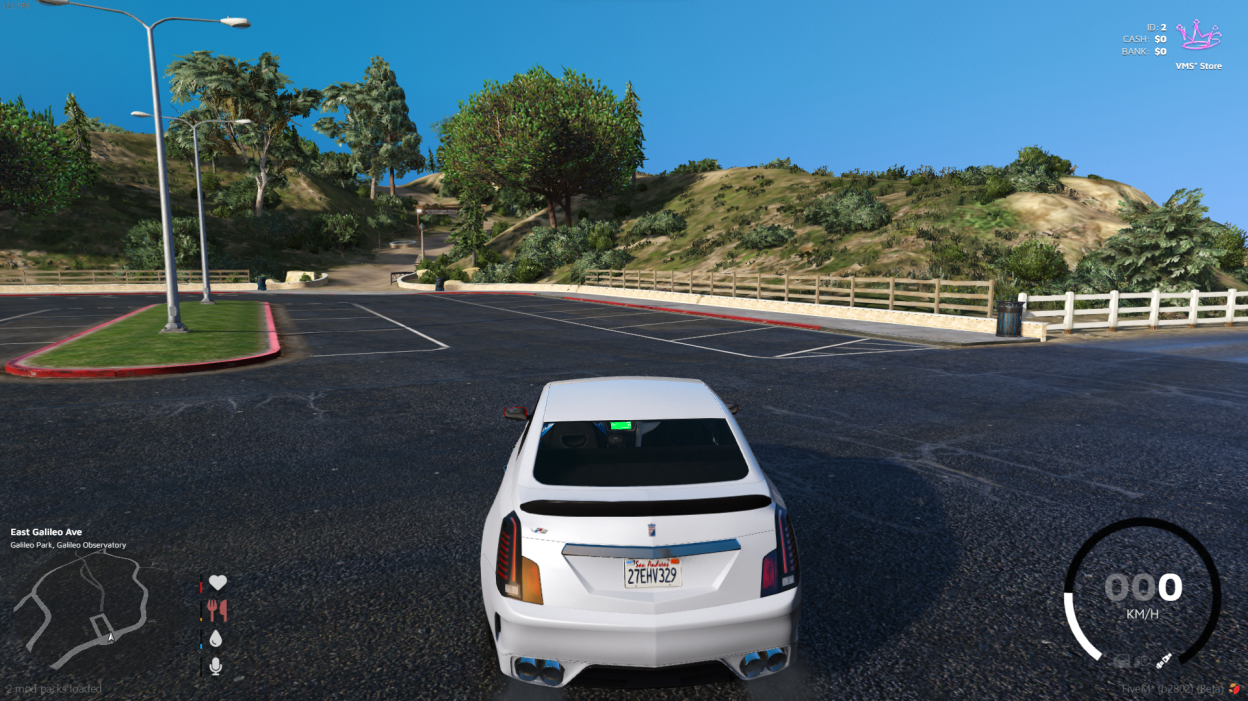
Not in vehicle:

In vehicle:





![More information about "Debadged Vehicle Pack | 450 CARS - DigitalLativa [9GB!]"](https://launcherleaks.net/uploads/monthly_2024_08/debadged-vehicle-pack-450-cars-645028.thumb.webp.f1cd01e8175a89bcf9c68fe426456f44.webp)

.thumb.webp.9efc2f23bddff94214c45f99e747f9bf.webp)


Recommended Comments
Create an account or sign in to comment
You need to be a member in order to leave a comment
Create an account
Sign up for a new account in our community. It's easy!
Register a new accountSign in
Already have an account? Sign in here.
Sign In Now