.png.8e1932637cddb5545967a863af3a105e.png)




Leaderboard



Popular Content
Showing content with the highest reputation on 12/13/22 in all areas
-
Version 1.0.0
774 downloads
Fuck BleepFree1 point -
![More information about "Liberty City Map Completed [BEST MAP] w/ MLO Pack"](https://launcherleaks.net/uploads/monthly_2022_10/1547135528_maxresdefault(1).thumb.jpg.3268f9fdc8809291623f9a487f318984.jpg)
Version 1.0.0
1625 downloads
I bought this for a $100Free1 point -

Version 1.0.0
9826 downloads
Video - leaked by Skiper#2993Free1 point -
![More information about "[QB/ESX] Quasar Smartphone - IP Unlocked"](https://launcherleaks.net/uploads/monthly_2022_12/5662a8240f43d99a3090de052bc2ca007847c3bb.thumb.png.f2dbf64d8b124a62a1f86d4961ba832a.png)
Version 1.0.0
20753 downloads
Package Description Quasar Smartphone promises to be the most complete phone you can get today. The resource has a completely realistic and immersive visual with a design absolutely inspired by the latest current smartphone models. Installation and compatibility This resource has compatibility with ESX and QBCore, although you can modify many of its aspects in the framework configuration within the configurable files. This resource has a medium installation difficulty and it is recommended to have someone with basic programming fundamentals to fully enjoy all its content. Degree of installation difficulty: ???⚪⚪ Package Details Possibility of using telephones, with different colors and backgrounds. This package includes props with different colors for your phones, exclusive to NAVY PANDA. Visual system with strong references in iOS. More than 40 applications with completely realistic visuals. Gallery of realistic images, with albums, photos of the day, month and more. Social networks of all kinds, including Tinder. System of groups and audios by Whatsapp. Possibility of modifying the telephone number or IBAN. Access to a new DLC sector to get more free scripts. More than 15 configurable files. Completely unique optimization, you will not find delay problems in this package. Constant updates so you are always up to date. Application List Phone - Contacts - Gallery - Messages - Settings - Tips - Reminders - Safari - Clock - Camera - Mail - Bank - Calendar - Weather - Notes - Calculator - App Store - Ping - Garages - Instagram - Whatsapp - Twitter - Yellow Pages - Tinder - YouTube - Uber - Darkweb - Darkchat - Radio - State - MDT - Business - Spotify - Flappy Bird - Donkey Kong - Doodle Jump - Slope Run - Pacman - Discord - Rental - Racing. Preview The images may change depending on the version you use. The current images are from the base version 2.0.1. Resource protection Quasar Store uses the official Cfx.re encryption and protection method. This protection method provides total security to both the buyer and the seller, this system will not influence the optimization of our resources and we will even make them more configurable than ever. Remember that to run this protection system you must use the latest artifacts and use a licensekey from your cfx account. Instant Delivery Secured Content Configuration Installation support Pay and receive your product instantly, you just have to claim your credentials. All our resources published here, have security and official license from Cfx.re. We have a very large optimization in resources and many useful configurations. Each resource includes an extensive installation tutorial and help through Discord support.Free1 point -
.thumb.png.4cfaf6378668a230e43c08c6840a0151.png)
Version 1.0.0
810 downloads
this is rockys barnfind prop / map it was a release in his discord thats not really out there. pretty rare as most of his stuff is encrypted from what i saw on his tebex some stuff isnt tho i might get more of his stuff to leak here so for now enjoy this one also i found out you can move this prop around if you are good with codewalker and want it in other spotsFree1 point -
Version 1.0.0
675 downloads
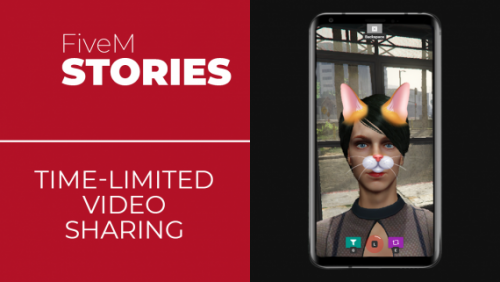
Package Description Looking to push your players' social experience one step forward? Give them the opportunity to express themselves via time-limited video sharing! You can check out a promotional video here. The resource is using Asset Escrow system. Your server needs to be in an artifacts version that supports it. The resource comes with an extensive configuration, events, exports and some client / server source files to allow you to customize it to your liking. It is a standalone resource and works with any framework and can be hooked to any Lua NUI-based phone given you can develop the hook for it. Out of the box we provide you hooks for gcphone, qb-phone, high-phone and qs-smartphone which cover those phones and also mainstream versions that are based on them like gksphone and xenknight. The hooks can be adjusted to your liking for element or style changes. There may be more available hooks shared in our Discord by our community. You may also find some more public hooks here. If you are a phone developer and a hook covers your phone but you don't want it to, or if you want us to make a hook that does cover your phone, please contact us. The stories are shown temporarily (default 24 hours) in the stories feed. This value can be changed in the configuration alongside with how long to keep the stories in storage (default 24 hours). The default maximum length of a story is 30 seconds (which results in ~5MB per maximum-length story video excluding the thumbnail). This value can be changed in the configuration and there is also a configurable rate limit in place to ensure your server does not run out of storage. If you want to post the stories from the game to your Discord server for moderation and or logging purposes, you can download here the companion resource cs-stories-dw to do so. Check its config.js for more information and make sure to use it in accordance with Discord's webhook policies. A hosting server is included that is mandatory, with yarn resource required as a dependency. The hosting server stores the stories' videos, thumbnails and some metadata, therefore it imposes network, bandwidth and storage requirements as well as requiring an extra TCP port to be open. Besides the integrated solution, the hosting server is also offered as an external node.js application to be hosted in the same or in a different machine allowing you to offset the network, bandwidth or and storage requirements. If your phone is of fx_version "cerulean", then you will have to route the stories' hosting server via HTTPS. You can do this by using a domain and Cloudflare. Alternatively, you can change the fx_version of your phone to "bodacious". Features Short and temporary video stories featuring uploader in-game location and uploader in-game name. Ability to self-delete uploaded stories and integration for authorized players to delete anyone's stories. Simplistic stories feed with full mouse and keyboard navigation support. Ability to switch between the back and the front camera. Dynamic adjustment to center properly in various resolutions. Plug-and-play integration with phones that we offer out-of-the-box hooks for. Color filters (grayscale, sepia, invert, saturate, etc.). Image filters with real-time player ped face-tracking (dog, cat, etc.). Optimized for a balance between quality and performance. An experimental camera mode that allows the player to move while recording a story. A wide array of events and exports to check and control the resource. Installation Instructions Make sure you have yarn in your resources folder. Download cs-stories and place it in your resources folder. Add ensure cs-stories to your server's configuration file before ensuring your phone. Edit your phone's __resource.lua or fxmanifest.lua file and add '@cs-stories/client/hooks/core.lua' as the last client script and '@cs-stories/server/hooks/core.lua' as the last server script. Edit your phone's NUI file (usually index.html) and add <script type="text/javascript" src="nui://cs-stories/client/hooks/core.js"></script> right before </body>. Check the config.lua file inside cs-stories for further configuration and read through all options and their comments and adjust them to your setup and preferences. Given you're using the internal solution, open the required port (by default 35540; incoming - inbound) in your firewall on TCP protocol. Run the command refresh and the command ensure cs-stories. If your phone uses an animation loop you may need to edit it (usually found in an animation.lua file) and add a not CS_STORIES.ACTIVE check before playing an animation to ensure an animation glitch does not occur when the video call camera is opened. Ensure your phone. External Hosting Server If you choose not to use the integrated proxy server then download the external node.js application and install it with npm install, read through all options and their comments inside its config.js file as they are very important for the setup process, adjust them to your setup and preferences and then run it with node, then make sure to add the external server's IP address in the sv_proxyIPRanges property in your server's configuration file. You can use pm2 to make sure it runs all the time. Important Information The player will be asked for microphone approval, if they deny, their voice will not be recorded in stories. If they mistakenly deny, they will need to reset it (for now this is done by deleting the file "%AppData%\CitizenFX\media_access.json"). When recording a story, the voice is recorded by the player's system default microphone. This cannot be changed. Only the voice of the player recording is recorded. This cannot be changed. The recording determinates whether the player is talking using the built-in native. If you are using an external VoIP such as TokoVoip or similar you will need to edit the hook to correctly determine when the player is talking. A player recording a story cannot move. This is default GTA:V camera behavior. You can try using experimental camera mode which allows the player to move, however it might not be as smooth as the native one. Video render lag / freezes may be caused in very high resolutions or in very low-spec systems. The story recording works using game capture (similar to screenshot-basic), whatever it's on the game is recorded. That includes visual settings / mods, game drawings / UIs but not NUIs. If your server is running behind a reverse proxy that you have no control over and cannot handle an extra TCP port as required by the resource, your only option may be to externally host the stories' hosting server in a different machine (for example a cheap VPS with enough bandwidth / network / storage to work within your own limits) that can handle the requirements. When a story is being uploaded or viewed by a player, like any other video-upload service, the player's upload / download speed is being used and network / bandwidth is consumed on the hosting server as well. If your hosting server host does not offer unlimited bandwidth or has a low network limit you are advised to periodically check your usage statistics if you have a lot of players uploading and viewing stories. Also make sure to check your storage if you have a ton of stories being uploaded and are not being cleaned up. The resource is using FiveM's KV storage to store the metadata of the saved stories, if you are using a shared multi-server setup this may cause an issue and you may want to set sv_kvsName console variable to something unique for your server. There are checks in place to ensure that the recorded video and the in-game location are legitimate and are coming from the game itself, however since the client sends them, they cannot be fully trusted. The stories are deleted (as per configuration) when the resource starts, so stories storage cleanup depends on how often you restart your server or the resource. Frequent Issues & Questions Q: I can use the stories app but when I try to view or upload a story, an error happens, why? A: If your phone is of fx_version "cerulean", then you will have to route the stories' hosting server via HTTPS. You can do this by using a domain and Cloudflare. Alternatively, you can change the fx_version of your phone to "bodacious". If this was not your issue then the problem usually lies in TCP blocking, complex network setup or anti-DDoS protection. Try a different port, preferably in a high range to see if that will resolve your issue and make sure that port is open for TCP protocol. If that doesn't work then your best solution here may be to externally host the stories' hosting server in a different machine (for example a cheap VPS with enough bandwidth / network / storage to work within your own limits) that can handle the requirements. Q: I've done everything but I cannot see a stories app button, what's wrong? A: Not seeing a stories app button is possibly related to the hook you are using. First make sure you are using the correct hook for the phone you have. Then make sure your phone events and DOM elements are properly reflected in the hook and that the hook is configured properly. Also note that some hooks add the stories app in the phone's app store rather than immediately adding it as an app. Q: My yarn is repeatedly trying to install the resource, what do I do? A: This seems to be a current bug in the yarn resource related to package.json and the server's time zone related to the time zone of the system you copied the resource from. Edit package.json and just add or remove a space character, save it and the issue will go away.Free1 point -
Version 1.0.0
201 downloads
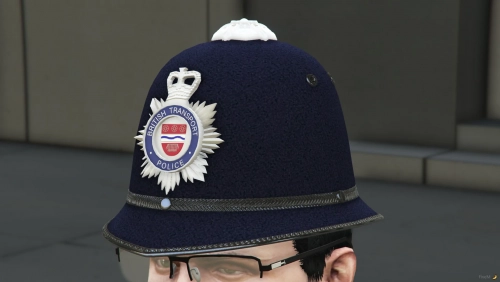
British Transport Police Beat HelmetFree1 point -
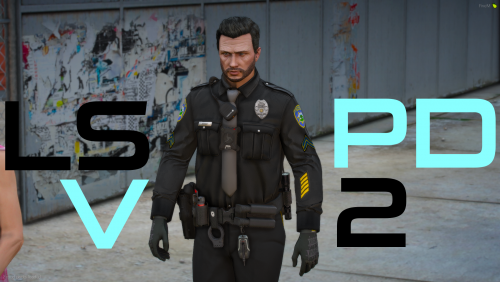 EUP menu work with it?1 point
 -
 Change your carcols as it interfering with your pack1 point
 -
Can somone explain why the service strikes arnt even remotely similar colours to the chevrons....1 point
-
 For real tho1 point
 -
Version 1.0.0
2092 downloads
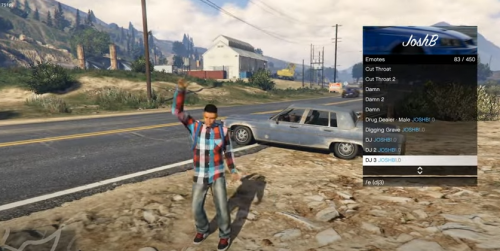
LFMAO man makes people pay for an emote menu LFMAO. Sadly, the person who gave me this did not give install instructions, if some figures out please let us know how to. Preview:Free1 point -

Version Final
1276 downloads
Finally, I got it from https://www.patreon.com/AnxietyMods Three different colors, install.txt inside of the .rar LEAKED BY BOATBOATTWOFree1 point







This leaderboard is set to Chicago/GMT-05:00