.png.8e1932637cddb5545967a863af3a105e.png)






tonebone31
-
Posts
13 -
Joined
-
Last visited
About tonebone31

Recent Profile Visitors
486 profile views


tonebone31's Achievements

Newbie (1/17)
0
Reputation
-
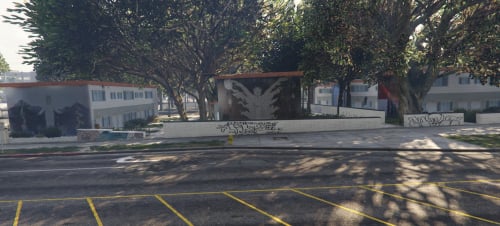 because the person who had converted them was rushing in didn't remove the invisible wall.
 -
if you have everything installed correctly you just have to go in game in turn on mp maps by pressing F5
-
do you have the up to date scripthookv installed and also the scripthookv nightly installed
-
look all the mlo hoods you downloaded right put those folders one by one inside your mods folder this is the path: mods/update/x64/dlcpacks inside the dlcpacks is where you drop the mlo hoods folders once you do that. step 2: is open your openiv in go to this path: mods/update/update.rpf/common/data once u open the data folder scroll down too dlclist.xml first click on it so it can be highlighted blue than click the right side on your mouse button so that menu can come up in click on edit than a big blue box will pop up with all the dlc's in it scroll down to the last >item< line copy the last >item< line than hit enter on your keyboard once the yellow highlighter line go your last >item< line go to the top of the page where it says paste click on paste it will make the copy as your last >item< line go to it in erase the middle name that in that >item< line in go back to you dlcpacks where i told inside the gta5 in copy the name of your mlo hood name in go place in the >item < line in your openiv in make you click save at the bottom.
-
go to youtube it has plenty of tutorial's
-
my discord name is Tone Loc
-
once you download it i think it goes inside your scripts folder. once inside game i think f5 is to toggle the mp maps banner it will show at the top left of your screen in game. you can also turn on mp maps through by pressing f3 then scroll down til' teleporting once u click on that its going to take u to another page where it will also have teleporting 1 and teleporting 2 press teleporting 1 that will take u to another page u will see mp maps but it disabled so u have click on it to enable than it load the mlo hoods in the game.
-
you can find mp maps on gta5mods.com you will see michael standing in front of the casino i think its alled mp maps 2.0 something like that.
-
do u have mp maps installed as well
-
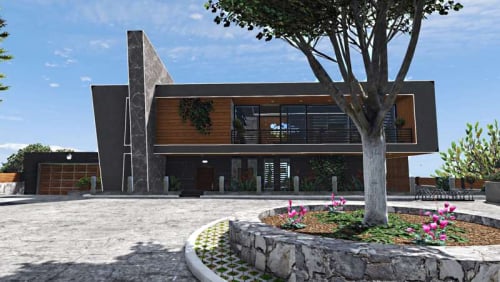 i have mlo hoods you think u can convert them to singleplayer!
 -
 can you please make the mlo hoods for the gangs blocks.
 -
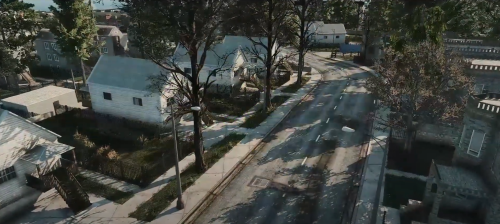 I install it in my storymode but seem to not let me remove the actual game project buildings out the way in codewalker need help!
 -
Do I keep the dlc.rpf folders inside the folders that which they came in or do i seperate them?
