.png.8e1932637cddb5545967a863af3a105e.png)





bigdawgkash
-
Posts
4 -
Joined
-
Last visited
1 Follower

About bigdawgkash

bigdawgkash's Achievements

Expert Leaker (4/17)
0
Reputation
-
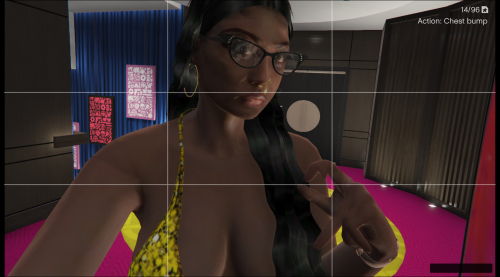 wtf good or wtf bad ? lmaoo
 -
Version 1.0.0
97 downloads
lmao fuck whoever deleted or reported anywho a conversion of the latest most recent mp female skeleton to franklin reason for converting was because all the other conversions on here use old outdated skeletons with this conversion if you see a clothing mod for MP female you can download it depending if its for the right bodytype or not installation 1.Make sure you have OpenIV and have the plugin installed. 2. Go into GTA V in OpenIV and down to x64v.rpf and double click it, it should open up. 3. From here navigate to models/cdimages/streamedpeds_players.rpf/ and make sure Edit Mode is on. 4. Delete everything inside the player_one folder and then drag and drop all the contents of the folder I included called player_one (player_one folder) and player_one.yft&ymt into streamedpeds_players.rpf 5. Click on files rebuild at the top left inside the File Category. 6. Head back up and navigate to update/x64/dlcpacks/mppatchesng/dlc.rpf/x64/models/cdimages/mppatches.rpf/ 7. Find you're way down to player_one and delete everything with the name player_one, including the folder. *THIS IS WHERE YOU MIGHT WANT A BACKUP* 8. Click on file rebuild at the top left inside the File Category 9. Head back up and navigate to update/x64/dlcpacks/patchday3ng/dlc.rpf/x64/models/cdimages/patch3ng.rpf 10. Find you're way down to player_one and delete everything with the name player_one, including the folder. *THIS IS WHERE YOU MIGHT WANT A BACKUP* 11. Click on rebuild at the top left inside the File Category 12. Thats All! Enjoy and Have Fun 🙂Free -
Version 1.0.0
126 downloads
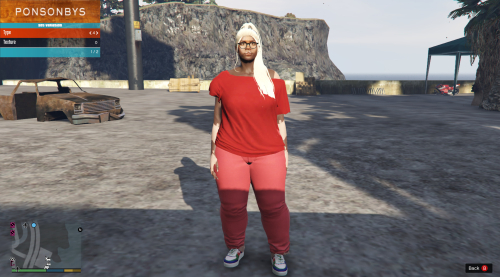
first and foremost FUCK "BIGGDOGG' over at "gta5mods.com you're a goofball anyways, now that that's out the way LMAO I WAS LEARNING BLENDER WHILE CREATING THIS CONVERSION SO ITS KINDA ROUGH MIGHT REVISIT AND CLEAN UP I KNOOOW ABOUT THE ANKLES AND WE DONT TALK ABOUT THE ANKLES LMAOOOO choose one or the other one bbw-ish and one big tatas and booty lmaooo INSTALLATION !!! 1.Make sure you have OpenIV and have the plugin installed. 2. Go into GTA V in OpenIV and down to x64v.rpf and double click it, it should open up. 3. From here navigate to models/cdimages/streamedpeds_players.rpf/ and make sure Edit Mode is on. 4. Delete everything inside the player_one folder and then drag and drop all the contents of the folder I included called player_one (player_one folder) and player_one.yft&ymt into streamedpeds_players.rpf 5. Click on files rebuild at the top left inside the File Category. 6. Head back up and navigate to update/x64/dlcpacks/mppatchesng/dlc.rpf/x64/models/cdimages/mppatches.rpf/ 7. Find you're way down to player_one and delete everything with the name player_one, including the folder. *THIS IS WHERE YOU MIGHT WANT A BACKUP* 8. Click on file rebuild at the top left inside the File Category 9. Head back up and navigate to update/x64/dlcpacks/patchday3ng/dlc.rpf/x64/models/cdimages/patch3ng.rpf 10. Find you're way down to player_one and delete everything with the name player_one, including the folder. *THIS IS WHERE YOU MIGHT WANT A BACKUP* 11. Click on rebuild at the top left inside the File Category 12. Thats All! Enjoy and Have Fun 🙂 - (INSTALLATION COPIED FROM GENERIC FRANKLIN REPLACER MOD CAUSE ITS THE SAME PROCESS )Free