Jump to content
Check out discord.gg/fxap for the cheapest decryptions! First one is free! ×

Get LB-Phone!

Unlock the powerful LB-Phone for a fraction of the price you pay on tebex.

Download

Premium TOS Clothing MEGA Pack!

11GB of pure TOS premium clothing best clothing pack for your Server!

Download

5Decrypt

Automated Asset Decryption

Learn More

3 Screenshots

About This File

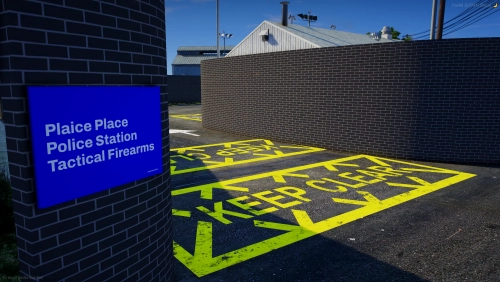
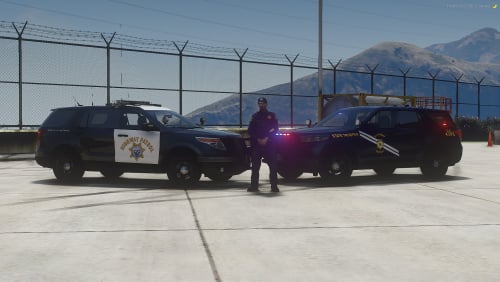
ARV Firearms Base MLO

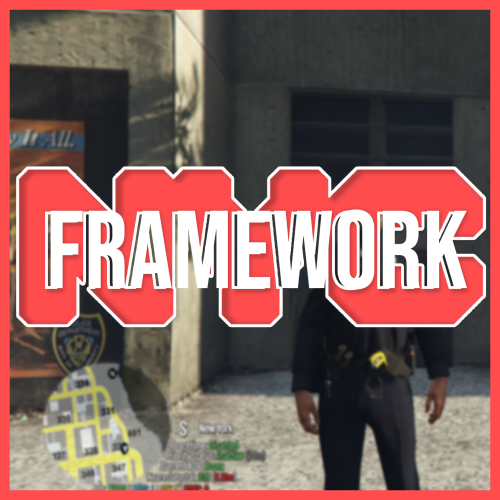
Enhance your police roleplay with our meticulously crafted ARV Firearms Base MLO. This meticulously designed base offers a sophisticated array of features, including high-quality textures that bring authenticity to life. Custom doors and decals add a unique touch, while the bespoke armory design provides a professional and secure setting for your operations.

Crafted with high-quality props and attention to detail, this base ensures a realistic and immersive environment for your FiveM servers and single-player experiences. Elevate your police roleplay and create a sophisticated base that stands out in every aspect.

Features:

High-quality textures for an immersive experience
Custom doors and decals for a unique touch
Bespoke armory design ensuring security and professionalism
High-quality props for added realism


User Feedback

Recommended Comments

caribbean0

Posted

where is this mlo" you didnt provide any information on where this is located


caribbean0

Posted

This does not work at all, the SP version does not work, i can see it in codewalker but in the actual game it dosent show up

1111119mm

Posted

47 minutes ago, caribbean0 said:

where is this mlo" you didnt provide any information on where this is located


Its at the Docks

caribbean0

Posted

14 minutes ago, 1111119mm said:

Its at the Docks

i used SP version and it dosent show up for me.


CoolioBroskies

Posted

if u want the sp version to work put this into your dlclist.xml:

<Item>dlcpacks:/mdxarvbaseport2023/</Item>

JoshJackson211294

Posted

On 1/27/2024 at 11:39 AM, CoolioBroskies said:

if u want the sp version to work put this into your dlclist.xml:

<Item>dlcpacks:/mdxarvbaseport2023/</Item>

Tried adding that to the DLC list and same issue as previous people the building doesn't show up.


Ohwhatdoido

Posted

On 1/27/2024 at 11:39 AM, CoolioBroskies said:

if u want the sp version to work put this into your dlclist.xml:

<Item>dlcpacks:/mdxarvbaseport2023/</Item>

ive tried that but not working. any ideas

BaddytrUCK21

Posted

it works fine in SP, but it not work at all when i try to use it mutually with LSPDFR

RymiiHD123

Posted

Anyone figure it out?


Create an account or sign in to comment

You need to be a member in order to leave a comment

Create an account

Sign up for a new account in our community. It's easy!

Register a new account

Sign in

Already have an account? Sign in here.

Sign In Now
  • Recently Browsing   0 members

    • No registered users viewing this page.


×
×
  • Create New...

Important Information

By continuing on Launcherleaks.net, you agree to our Terms of Use, Guidelines & Privacy Policy