.png.8e1932637cddb5545967a863af3a105e.png)





About This File
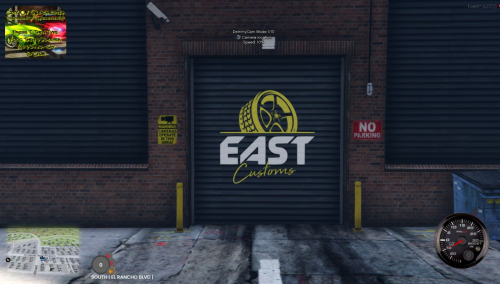
TIME STAMP - 45.38 shows the mlo working with no issues
CONVERTED FROM FIVEM TO SP
BY: DRIPSHOPGAMING
Look at the entire file because the dlc.rpf file is located inside along with the FIVEM version
INSTALL: eastcoastcustoms
1. run OpenIV
2. create new folder name it eastcoastcustoms & drag and drop dlc.rpf in the following path mods/update/x64/dlcpacks
3. go to mods/update/update.rpf/common/data open dlclist.xml and add the line dlcpacks:/eastcoastcustoms/
that's it
Edited by YungDrip2raw
Added video

![More information about "[DLS / Non-ELS] 2025 CHP Dodge Durango Pack By Lildunkboi Modding"](https://launcherleaks.net/uploads/monthly_2026_10/Screenshot_2026-09-29_18-47-16.thumb.png.0127236d6ec258d14896988dcfeda7da.png)


![More information about "[DEV] vest parts, nylon belt parts, and radios"](https://launcherleaks.net/uploads/monthly_2026_06/im.thumb.png.608a69e520e28505fe93119351d1d4d4.png)
![More information about "[FIXED] ONX PD AND EMS VEHICLE PACK"](https://launcherleaks.net/uploads/monthly_2025_08/onx.thumb.png.8c2abbbfab7a859c3780e84748ab6635.png)








.thumb.png.8dbb6fae4fda0ea4c6c5939d900b3d47.png)


