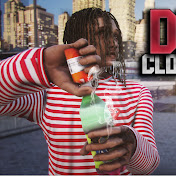
.png.8e1932637cddb5545967a863af3a105e.png)





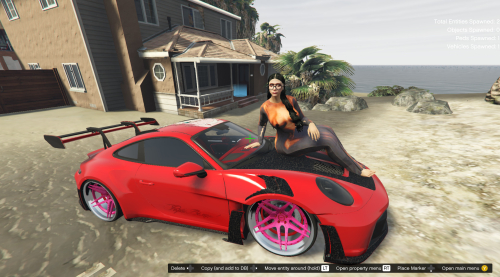


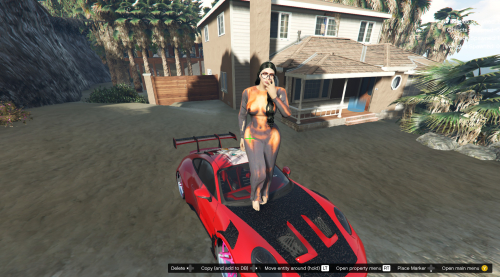
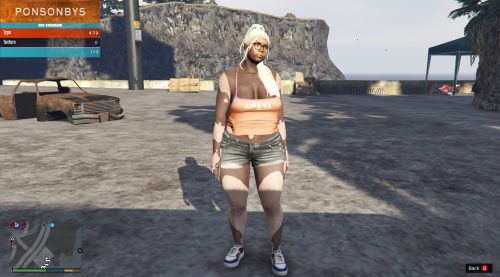

About This File
first and foremost
FUCK "BIGGDOGG' over at "gta5mods.com
you're a goofball
anyways, now that that's out the way
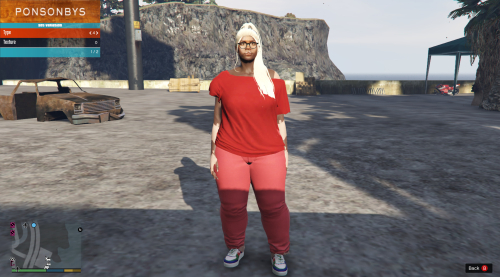
LMAO I WAS LEARNING BLENDER WHILE CREATING THIS CONVERSION
SO ITS KINDA ROUGH MIGHT REVISIT AND CLEAN UP
I KNOOOW ABOUT THE ANKLES AND WE DONT TALK ABOUT THE ANKLES LMAOOOO
choose one or the other
one bbw-ish
and one big tatas and booty lmaooo
INSTALLATION !!!
1.Make sure you have OpenIV and have the plugin installed.
2. Go into GTA V in OpenIV and down to x64v.rpf and double click it, it should open up.
3. From here navigate to models/cdimages/streamedpeds_players.rpf/ and make sure Edit Mode
is on.
4. Delete everything inside the player_one folder and then drag and drop all the contents of
the folder I included called player_one (player_one folder) and player_one.yft&ymt into streamedpeds_players.rpf
5. Click on files rebuild at the top left inside the File Category.
6. Head back up and navigate to
update/x64/dlcpacks/mppatchesng/dlc.rpf/x64/models/cdimages/mppatches.rpf/
7. Find you're way down to player_one and delete everything with the name player_one,
including the folder. *THIS IS WHERE YOU MIGHT WANT A BACKUP*
8. Click on file rebuild at the top left inside the File Category
9. Head back up and navigate to
update/x64/dlcpacks/patchday3ng/dlc.rpf/x64/models/cdimages/patch3ng.rpf
10. Find you're way down to player_one and delete everything with the name player_one,
including the folder. *THIS IS WHERE YOU MIGHT WANT A BACKUP*
11. Click on rebuild at the top left inside the File Category
12. Thats All! Enjoy and Have Fun 🙂
- (INSTALLATION COPIED FROM GENERIC FRANKLIN REPLACER MOD CAUSE ITS THE SAME PROCESS )
Edited by bigdawgkash
![More information about "Debadged Vehicle Pack | 450 CARS - DigitalLativa [9GB!]"](https://launcherleaks.net/uploads/monthly_2024_08/debadged-vehicle-pack-450-cars-645028.thumb.webp.f1cd01e8175a89bcf9c68fe426456f44.webp)
.thumb.webp.9efc2f23bddff94214c45f99e747f9bf.webp)