.png.8e1932637cddb5545967a863af3a105e.png)





About This File
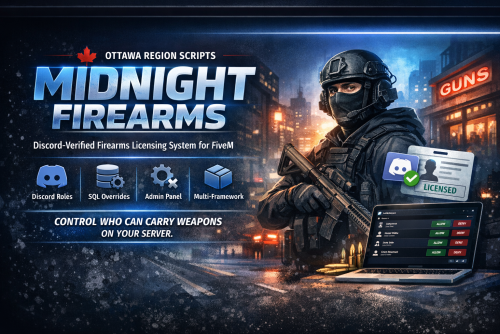
🔫 Midnight Firearms
Discord-Verified Firearms Licensing System
Author: MidnightMTB
Publisher: Ottawa Region Scripts
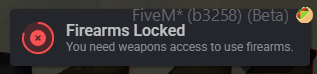
Midnight Firearms is a multi-framework firearm licensing system for FiveM that restricts weapon usage based on Discord roles with persistent database overrides.
This allows servers to control firearm access through Discord permissions while still giving administrators the ability to manually grant or revoke licenses in-game.
Perfect for serious or semi-serious RP servers that want structured firearm access similar to real-world licensing.
✨ Features
• Discord role-based firearm licensing
• Persistent MySQL override system
• Multi-framework compatibility
• Inventory-agnostic weapon enforcement
• Admin override panel
• Supports multiple inventory systems
• Lightweight and optimized
• Clean NUI interface
• Easy installation and configuration
🧩 Supported Frameworks
-
QBCore
-
Qbox
-
ESX
-
Standalone
📦 Supported Inventory Systems
Works with most inventory scripts including:
-
ox_inventory
-
qb-inventory
-
ps-inventory
-
lj-inventory
-
qs-inventory
-
and others
The script enforces firearm usage independently of inventory, making it broadly compatible.
⚙️ Requirements
-
ox_lib
-
oxmysql
-
Discord Bot Token
🛠 Installation
1️⃣ Import the SQL
Import the included SQL file into your database.
2️⃣ Add the resource
Place the script in your server resources folder.
Example:
3️⃣ Ensure the resource
Add to server.cfg
ensure ox_lib
ensure midnight_firearms
4️⃣ Configure the script
Open config.lua and configure:
Config.AllowedRoleId = "ROLE_ALLOWED_TO_HAVE_FIREARMS"
Config.BotToken = "YOUR_DISCORD_BOT_TOKEN"
🤖 Discord Bot Setup
1️⃣ Go to the Discord Developer Portal
Create a new Application
2️⃣ Create a Bot
Navigate to the Bot tab and click:
3️⃣ Copy the Bot Token
Paste it into:
4️⃣ Invite the bot to your server
Use the OAuth2 → URL Generator
Scopes:
Permissions required are minimal since the script only reads member roles.
5️⃣ Get IDs
Enable Developer Mode in Discord
Right click and copy:
-
Server ID → Config.GuildId
-
Role ID → Config.AllowedRoleId
🧑💻 Admin Commands
Grant firearm access override
Remove firearm access
Clear override
Refresh role cache
🔐 License
This resource is licensed under the Ottawa Region Scripts License.
You may:
✔ Use on your server
✔ Modify for personal use
You may NOT:
✖ Redistribute the script
✖ Sell the script
✖ Reupload as your own work
Author: MidnightMTB
🏷 Credits
Author: MidnightMTB
Publisher: Ottawa Region Scripts


![More information about "[SP] LASD belts"](https://launcherleaks.net/uploads/monthly_2026_09/9-9-2026_164015_discord_com.thumb.jpeg.9f564b330bbd857a949f8b1288a3e2f0.jpeg)



![More information about "[DEV] vest parts, nylon belt parts, and radios"](https://launcherleaks.net/uploads/monthly_2026_06/im.thumb.png.608a69e520e28505fe93119351d1d4d4.png)
![More information about "[FIXED] ONX PD AND EMS VEHICLE PACK"](https://launcherleaks.net/uploads/monthly_2025_08/onx.thumb.png.8c2abbbfab7a859c3780e84748ab6635.png)




.thumb.jpg.036fa65b13e3263ce3bfdf4acc55629c.jpg)



.thumb.png.8dbb6fae4fda0ea4c6c5939d900b3d47.png)



