.png.8e1932637cddb5545967a863af3a105e.png)





.png.99d521d5ff1a554fe34b2874e8d0da68.png)
UNVD
-
Posts
152 -
Joined
-
Last visited
-
Days Won
13
Content Type
Profiles
Downloads
Release Notes
Store
Everything posted by UNVD
-
 Well not clearly 🤡 the fuck kind of grammar is this shit 😅
 -
sue dipshit cant even spell im gonna take you to j dogs island
-
 this is for the old update ill add files to make it for this update the issue is since the new heist new ymap files have been added and can cause some issues with Occl files
 -
Version 1.0.0
425 downloads
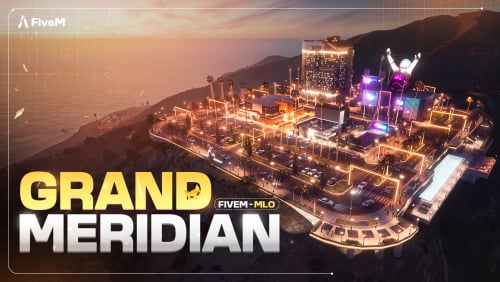
Bring a full luxury landmark destination to your FiveM server with Grand Meridian, a premium multi-business MLO built as a high-end commercial district overlooking the city. Designed as a complete lifestyle, entertainment, and business hub, Grand Meridian combines luxury shopping, nightlife, dining, banking, theatre entertainment, rooftop ambience, and city-view seating into one large optimized location. This is not just a single interior. It is a full commercial destination built for roleplay, business ownership, server events, nightlife, and premium city ambience. Game Version A Safehouse in the HillsFree -
![More information about "Vinewood Police HQ [ Interior Fixed ]"](https://launcherleaks.net/uploads/monthly_2026_09/ca84d49e98cfffb1072a80a898a9d94ddf57a3b9.thumb.jpg.bfec3656d91553cb1ac0521e8c4c2116.jpg)
Version 1.0.0
293 downloads
🚔 Vinewood Police HQ - Modular by Ashrigs A next-generation police headquarters built for serious RP servers, featuring real-time department switching, live interior theme swapping, and a civilian-to-officer workflow layout.Free -
 yeah ill upload them here
 -
i only have client side ones
-
.thumb.png.416ae713fb3c3c0d7445a7614e97fab7.png)
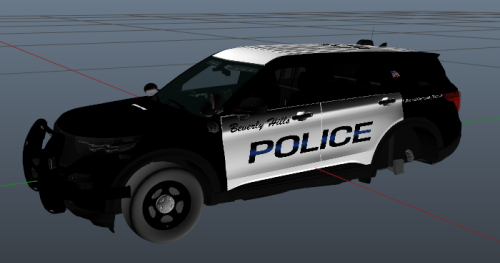
Beverly Hills Police Department – Vehicle Pack
UNVD commented on Djwhiteknight13's file in Vehicle Downloads
 lets make a baby
 -
 hot
hot -
Version 1.0.0
261 downloads
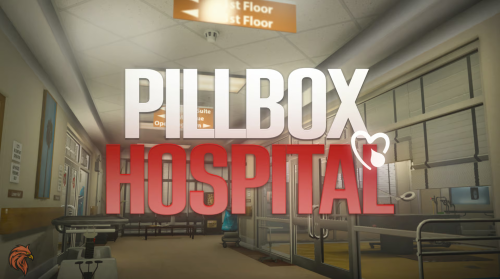
MRI scanner with an operator console: the bed slides into the bore, with a pulsing scan light and progress circle, synced for every player Two elevator shafts serving four floors (B2, B1, main floor, rooftop helipad) with a button panel Optional staff-only access for the MRI controls and elevators, by EMS job or ACE Per-floor rules through hooks, e.g. rooftop helipad for medical staff only Glass doors that shatter Ready-to-import ox_doorlock SQL with 64 doors Targetable custom props (beds, cardiomonitor, waiting-room seating) for your own scripts Interior minimap for every floor Pre-merged compatibility files for our Pillbox Fire Department and Bus Station https://prompt-studio.gitbook.io/prompt-studio/government-maps/pillbox-hill-medical-centerFree -
 odd ill look into that
 -
 install the paths rpf ill have the nodes by it self and other fixes in the next update
 -
make sure its in your dlclist or your other mods works
-
Version 1.0.0
600 downloads
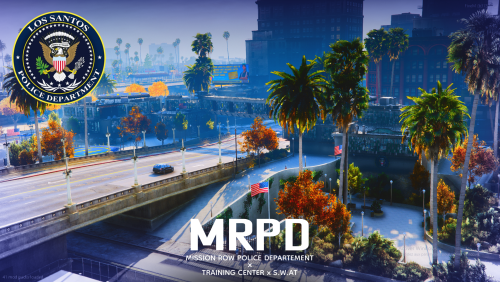
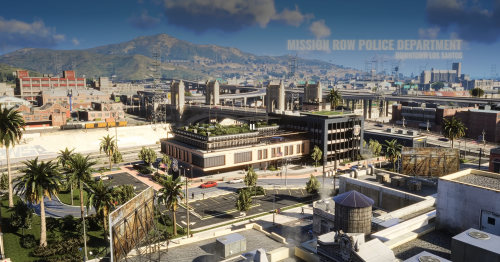
Why choose the Mission Row Police Department? 🚔 Strategic Mission Row location. Located in the heart of Mission Row, Los Santos, this police department provides an ideal central location for citywide operations, patrols and emergency response. Perfect for servers looking to create a more immersive and active law enforcement environment. 🏢 Complete Police Department experience. Designed as more than just a police station, this mapping includes dedicated areas for regular police operations, a fully integrated S.W.A.T. facility, and a dedicated Training Center for your officers and specialized units. 🛡️ Dedicated S.W.A.T. facility. A dedicated area designed for your S.W.A.T. teams, providing a professional environment for tactical operations, briefings, preparation and specialized roleplay scenarios. 🎯 Training Center included. The integrated Training Center allows your server to organize police training, tactical exercises, recruitment sessions and various roleplay scenarios without requiring a separate location. 🔍 Immersive visuals. Detailed interiors, realistic lighting, carefully selected props, signage and environmental details create a professional and immersive law enforcement atmosphere. Every area has been designed with roleplay and visual quality in mind. 🎨 Customizable identity. Adapt the Police Department to your own server. Logos, texts and visual identity elements can be modified, allowing you to replace the default branding with your own police department, organization or server identity. ⚡ Performance optimized for FiveM. The mapping has been carefully optimized for performance, providing a detailed environment while keeping the resource lightweight and suitable for demanding RP servers. Map features • Mission Row Police Department • Dedicated S.W.A.T. facility • Integrated Training Center • Multiple fully detailed interiors • Police operational areas • Training and tactical areas • Professional offices and workspaces • Realistic lighting and environmental details • Detailed props and furniture • Customizable logos and text • Optimized FiveM files • Designed for immersive RP servers 🎁 Bonus usage ideas Use the mapping as your main Police Department, S.W.A.T. Headquarters, Police Academy, Training Facility, Tactical Operations Center or Law Enforcement Headquarters. Its modular design also allows you to adapt the different areas to your server's own lore and organization. 📍 Location: Mission Row, Los Santos 🎮 Platform: FiveM 🏢 Type: Police Department / S.W.A.T. / Training Center ⚡ Optimization: Performance optimized 🎨 Customization: Logos & texts can be modified 🚨 YouTube Showcase: https://youtu.be/e67L_BE3A6A L.M STUDIO 3D Modeling • Mapping • MLO • FiveMFree -
 gameconfig issue works for me and other people that tested it
 -
everyone else ......
-
i added the rpf with only the new nodes but yup keep bitching
-
 ill update the mod with the files that fix that
 -
" fucking folder says then the dlclist would be mrpd2, not mpmrpd2, mfs shouldnt have to look in the xmls" bro do you have Asperger's or what it doesnt need to be the same name as the xmls it works no matter what. also "mission_row scenario file is there for a reason" no shit it is but scenario files do cause crashes 🤡 maybe not this one but still people really dont care the only one freaking out is you 🤣 "shit aint hard to properly convert shit and have it actually work" then do it yourself instead of bitching about free shit "the paths still fuck up the ai traffic" that's the authors fault not me 🫡
-
<?xml version="1.0" encoding="UTF-8"?> <CDataFileMgr__ContentsOfDataFileXml> <disabledFiles /> <includedXmlFiles /> <dataFiles> <Item> <filename>dlc_mpMrpd2:/common/data/gtxd.meta</filename> <fileType>GTXD_PARENTING_DATA</fileType> <overlay value="false" /> <disabled value="true" /> <persistent value="false" /> </Item> <Item> <filename>dlc_mpMrpd2:/%PLATFORM%/levels/gta5/additions/mpmrpd_second_additions.rpf</filename> <fileType>RPF_FILE</fileType> <overlay value="false" /> <disabled value="true" /> <persistent value="true" /> <contents>CONTENTS_MAP</contents> </Item> <Item> <filename>dlc_mpMrpd2:/%PLATFORM%/levels/gta5/additions/mpmrpd_second_additions2.rpf</filename> <fileType>RPF_FILE</fileType> <overlay value="false" /> <disabled value="true" /> <persistent value="true" /> <contents>CONTENTS_MAP</contents> </Item> <Item> <filename>dlc_mpMrpd2:/%PLATFORM%/levels/gta5/additions/mpmrpd_second_additions3.rpf</filename> <fileType>RPF_FILE</fileType> <overlay value="false" /> <disabled value="true" /> <persistent value="true" /> <contents>CONTENTS_MAP</contents> </Item> <Item> <filename>dlc_mpMrpd2:/%PLATFORM%/levels/gta5/additions/mpmrpd_second_additions4.rpf</filename> <fileType>RPF_FILE</fileType> <overlay value="false" /> <disabled value="true" /> <persistent value="true" /> <contents>CONTENTS_MAP</contents> </Item> <Item> <filename>dlc_mpMrpd2:/%PLATFORM%/levels/gta5/additions/mpmrpd_second_additions5.rpf</filename> <fileType>RPF_FILE</fileType> <overlay value="false" /> <disabled value="true" /> <persistent value="true" /> <contents>CONTENTS_MAP</contents> </Item> <Item> <filename>dlc_mpMrpd2:/%PLATFORM%/levels/gta5/additions/mpmrpd_second_additions6.rpf</filename> <fileType>RPF_FILE</fileType> <overlay value="false" /> <disabled value="true" /> <persistent value="true" /> <contents>CONTENTS_MAP</contents> </Item> <Item> <filename>dlc_mpMrpd2:/%PLATFORM%/levels/gta5/additions/mpmrpd_second_additions7.rpf</filename> <fileType>RPF_FILE</fileType> <overlay value="false" /> <disabled value="true" /> <persistent value="true" /> <contents>CONTENTS_MAP</contents> </Item> <Item> <filename>dlc_mpMrpd2:/%PLATFORM%/levels/gta5/additions/mpmrpd_second_additions8.rpf</filename> <fileType>RPF_FILE</fileType> <overlay value="false" /> <disabled value="true" /> <persistent value="true" /> <contents>CONTENTS_MAP</contents> </Item> <Item> <filename>dlc_mpMrpd2:/%PLATFORM%/levels/gta5/additions/mpmrpd_second_additions9.rpf</filename> <fileType>RPF_FILE</fileType> <overlay value="false" /> <disabled value="true" /> <persistent value="true" /> <contents>CONTENTS_MAP</contents> </Item> <Item> <filename>dlc_mpMrpd2:/%PLATFORM%/levels/gta5/additions/mpmrpd_second_additions_metadata.rpf</filename> <fileType>RPF_FILE</fileType> <loadCompletely value="true"/> <overlay value="false" /> <disabled value="true" /> <persistent value="true" /> <contents>CONTENTS_DLC_MAP_DATA</contents> </Item> <Item> <filename>dlc_mpMrpd2:/%PLATFORM%/levels/gta5/patches/mpmrpd_second_updates.rpf</filename> <fileType>RPF_FILE</fileType> <overlay value="true"/> <disabled value="true"/> <persistent value="true"/> </Item> <Item> <filename>dlc_mpMrpd2:/%PLATFORM%/levels/gta5/interiors/int_placement_mpmrpd_second1.rpf</filename> <fileType>RPF_FILE</fileType> <overlay value="false" /> <disabled value="true" /> <persistent value="true" /> <loadCompletely value="true" /> <contents>CONTENTS_DLC_MAP_DATA</contents> </Item> <Item> <filename>dlc_mpMrpd2:/%PLATFORM%/levels/gta5/interiors/int_placement_mpmrpd_second2.rpf</filename> <fileType>RPF_FILE</fileType> <overlay value="false" /> <disabled value="true" /> <persistent value="true" /> <loadCompletely value="true" /> <contents>CONTENTS_DLC_MAP_DATA</contents> </Item> <Item> <filename>dlc_mpMrpd2:/%PLATFORM%/levels/gta5/interiors/int_placement_mpmrpd_second3.rpf</filename> <fileType>RPF_FILE</fileType> <overlay value="false" /> <disabled value="true" /> <persistent value="true" /> <loadCompletely value="true" /> <contents>CONTENTS_DLC_MAP_DATA</contents> </Item> <Item> <filename>dlc_mpMrpd2:/%PLATFORM%/levels/gta5/interiors/int_placement_mpmrpd_second4.rpf</filename> <fileType>RPF_FILE</fileType> <overlay value="false" /> <disabled value="true" /> <persistent value="true" /> <loadCompletely value="true" /> <contents>CONTENTS_DLC_MAP_DATA</contents> </Item> <Item> <filename>dlc_mpMrpd2:/%PLATFORM%/levels/gta5/interiors/int_placement_mpmrpd_second5.rpf</filename> <fileType>RPF_FILE</fileType> <overlay value="false" /> <disabled value="true" /> <persistent value="true" /> <loadCompletely value="true" /> <contents>CONTENTS_DLC_MAP_DATA</contents> </Item> <Item> <filename>dlc_mpMrpd2:/%PLATFORM%/levels/gta5/interiors/int_placement_mpmrpd_second6.rpf</filename> <fileType>RPF_FILE</fileType> <overlay value="false" /> <disabled value="true" /> <persistent value="true" /> <loadCompletely value="true" /> <contents>CONTENTS_DLC_MAP_DATA</contents> </Item> <Item> <filename>dlc_mpMrpd2:/%PLATFORM%/levels/gta5/interiors/int_placement_mpmrpd_second7.rpf</filename> <fileType>RPF_FILE</fileType> <overlay value="false" /> <disabled value="true" /> <persistent value="true" /> <loadCompletely value="true" /> <contents>CONTENTS_DLC_MAP_DATA</contents> </Item> <Item> <filename>dlc_mpMrpd2:/%PLATFORM%/levels/gta5/interiors/int_placement_mpmrpd_second8.rpf</filename> <fileType>RPF_FILE</fileType> <overlay value="false" /> <disabled value="true" /> <persistent value="true" /> <loadCompletely value="true" /> <contents>CONTENTS_DLC_MAP_DATA</contents> </Item> </dataFiles> <contentChangeSets> <Item> <changeSetName>MPMRPD2_AUTOGEN</changeSetName> <mapChangeSetData /> <filesToInvalidate /> <filesToDisable /> <filesToEnable /> <txdToLoad /> <txdToUnload /> <residentResources /> <unregisterResources /> <requiresLoadingScreen value="false" /> <loadingScreenContext /> <executionConditions> <activeChangesetConditions /> <genericConditions /> </executionConditions> <useCacheLoader value="false" /> </Item> <Item> <changeSetName>MPMRPD2_MAP_UPDATE</changeSetName> <mapChangeSetData> <Item> <associatedMap>MO_JIM_L11</associatedMap> <filesToInvalidate /> <filesToDisable /> <filesToEnable> <Item>dlc_mpMrpd2:/%PLATFORM%/levels/gta5/additions/mpmrpd_second_additions.rpf</Item> <Item>dlc_mpMrpd2:/%PLATFORM%/levels/gta5/additions/mpmrpd_second_additions2.rpf</Item> <Item>dlc_mpMrpd2:/%PLATFORM%/levels/gta5/additions/mpmrpd_second_additions3.rpf</Item> <Item>dlc_mpMrpd2:/%PLATFORM%/levels/gta5/additions/mpmrpd_second_additions4.rpf</Item> <Item>dlc_mpMrpd2:/%PLATFORM%/levels/gta5/additions/mpmrpd_second_additions5.rpf</Item> <Item>dlc_mpMrpd2:/%PLATFORM%/levels/gta5/additions/mpmrpd_second_additions6.rpf</Item> <Item>dlc_mpMrpd2:/%PLATFORM%/levels/gta5/additions/mpmrpd_second_additions7.rpf</Item> <Item>dlc_mpMrpd2:/%PLATFORM%/levels/gta5/additions/mpmrpd_second_additions8.rpf</Item> <Item>dlc_mpMrpd2:/%PLATFORM%/levels/gta5/additions/mpmrpd_second_additions9.rpf</Item> <Item>dlc_mpMrpd2:/%PLATFORM%/levels/gta5/additions/mpmrpd_second_additions_metadata.rpf</Item> <Item>dlc_mpMrpd2:/%PLATFORM%/levels/gta5/patches/mpmrpd_second_updates.rpf</Item> <Item>dlc_mpMrpd2:/common/data/gtxd.meta</Item> </filesToEnable> <txdToLoad /> <txdToUnload /> <residentResources /> <unregisterResources /> </Item> </mapChangeSetData> <filesToInvalidate /> <filesToDisable /> <filesToEnable /> <txdToLoad /> <txdToUnload /> <residentResources /> <unregisterResources /> <requiresLoadingScreen value="true" /> <loadingScreenContext>LOADINGSCREEN_CONTEXT_LAST_FRAME</loadingScreenContext> <executionConditions /> <!-- useCacheLoader - If you don't want the game to use old cache extents then set useCacheLoader to "false" - All addon content should be set to FALSE unless if you have created a cache which I highly doubt you have or even know how to, unlike me --> <useCacheLoader value="false" /> </Item> <Item> <changeSetName>MPMRPD2_INTERIOR_ADDITIONS</changeSetName> <mapChangeSetData> <Item> <associatedMap>MO_JIM_L11</associatedMap> <filesToInvalidate /> <filesToDisable /> <filesToEnable> <Item>dlc_mpMrpd2:/%PLATFORM%/levels/gta5/interiors/int_placement_mpmrpd_second1.rpf</Item> <Item>dlc_mpMrpd2:/%PLATFORM%/levels/gta5/interiors/int_placement_mpmrpd_second2.rpf</Item> <Item>dlc_mpMrpd2:/%PLATFORM%/levels/gta5/interiors/int_placement_mpmrpd_second3.rpf</Item> <Item>dlc_mpMrpd2:/%PLATFORM%/levels/gta5/interiors/int_placement_mpmrpd_second4.rpf</Item> <Item>dlc_mpMrpd2:/%PLATFORM%/levels/gta5/interiors/int_placement_mpmrpd_second5.rpf</Item> <Item>dlc_mpMrpd2:/%PLATFORM%/levels/gta5/interiors/int_placement_mpmrpd_second6.rpf</Item> <Item>dlc_mpMrpd2:/%PLATFORM%/levels/gta5/interiors/int_placement_mpmrpd_second7.rpf</Item> <Item>dlc_mpMrpd2:/%PLATFORM%/levels/gta5/interiors/int_placement_mpmrpd_second8.rpf</Item> <Item>dlc_mpMrpd2:/%PLATFORM%/levels/gta5/interiors/int_placement_mpmrpd_second9.rpf</Item> </filesToEnable> <txdToLoad /> <txdToUnload /> <residentResources /> <unregisterResources /> </Item> </mapChangeSetData> <filesToInvalidate /> <filesToDisable /> <filesToEnable /> <txdToLoad /> <txdToUnload /> <residentResources /> <unregisterResources /> <requiresLoadingScreen value="true" /> <loadingScreenContext>LOADINGSCREEN_CONTEXT_LAST_FRAME</loadingScreenContext> <executionConditions /> <!-- useCacheLoader - If you don't want the game to use old cache extents then set useCacheLoader to "false" - All addon content should be set to FALSE unless if you have created a cache which I highly doubt you have or even know how to, unlike me --> <useCacheLoader value="false" /> </Item> </contentChangeSets> <patchFiles /> </CDataFileMgr__ContentsOfDataFileXml> like are you just a class 3 retard or what they all say dlc_mpMrpd2 like they should ..........
-
' people expect the name to be MRPD2 not mMRPD2' like who? dlc folder name has nothing to with how the game works, "you wernt even suppose to use the paths," yes you are for loading ynd files 🤡 "you were suppose to use the mission row scenario" those can cause crashes and i leave them out on purpose also other mods use those scenario files if your not happy with the mod then dont use it simple as that. "like what are we doing" more then you dude i dont see any converts from you if your such an expert then make your own
-
the folder name doesn't matter please for the love of god know what your talking about before making your self look like a idiot
-
it is or another mlo test by itself and make sure mp maps are on
-
ai pathing i didnt "Fucked up" thats the author also mrpd was tested in my game and worked so idk about the xmls maybe i released the wrong one ill take a look. also no reason for being so aggressive next time just say whats wrong lol