.png.8e1932637cddb5545967a863af3a105e.png)




usr2485819
-
Posts
20 -
Joined
Content Type
Profiles
Downloads
Release Notes
Store
Everything posted by usr2485819
-
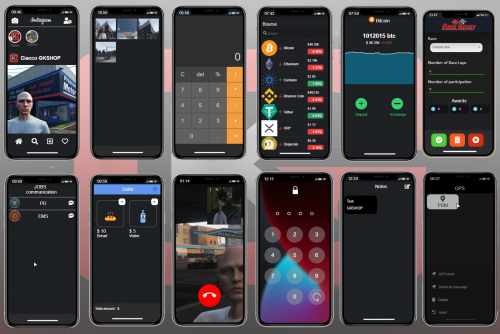 Pretty sure it's SQL related
 -
Try dropping the table like so DROP TABLE `gksphone_settings` or just click the drop icon in your database then redo ##################################################################################### CREATE TABLE `gksphone_settings` ( `id` INT(11) NOT NULL AUTO_INCREMENT, `identifier` LONGTEXT NOT NULL COLLATE 'utf8mb4_general_ci', `crypto` LONGTEXT NOT NULL DEFAULT '{}' COLLATE 'utf8mb4_general_ci', `phone_number` VARCHAR(50) NULL DEFAULT NULL COLLATE 'utf8mb4_general_ci', `avatar_url` LONGTEXT NULL DEFAULT NULL COLLATE 'utf8mb4_general_ci', PRIMARY KEY (`id`) USING BTREE ) COLLATE='utf8mb4_general_ci' ENGINE=InnoDB AUTO_INCREMENT=0 ; #####################################################################################
-
 You uploaded Loaf_housing my guy, but i see the dl link
 -
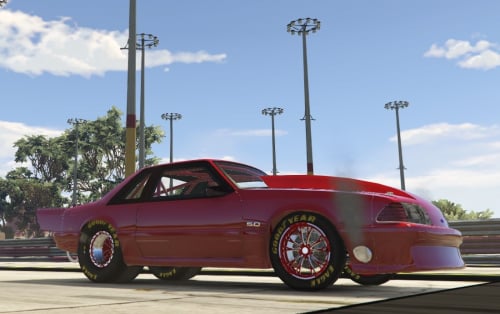 ?
? -
Bruh, Upload it properly
-
This tends to happen when something wasn't installed correctly into your database, this specific information will be stored in the "gksphone_settings" tab in your data base if you do not have this tab you can add the code I provided below or reinstall the .sql ##################################################################################### CREATE TABLE `gksphone_settings` ( `id` INT(11) NOT NULL AUTO_INCREMENT, `identifier` LONGTEXT NOT NULL COLLATE 'utf8mb4_general_ci', `crypto` LONGTEXT NOT NULL DEFAULT '{}' COLLATE 'utf8mb4_general_ci', `phone_number` VARCHAR(50) NULL DEFAULT NULL COLLATE 'utf8mb4_general_ci', `avatar_url` LONGTEXT NULL DEFAULT NULL COLLATE 'utf8mb4_general_ci', PRIMARY KEY (`id`) USING BTREE ) COLLATE='utf8mb4_general_ci' ENGINE=InnoDB AUTO_INCREMENT=0 ; #####################################################################################
-
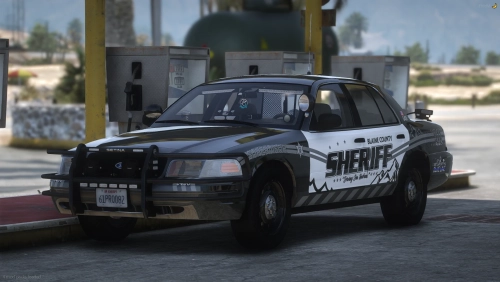
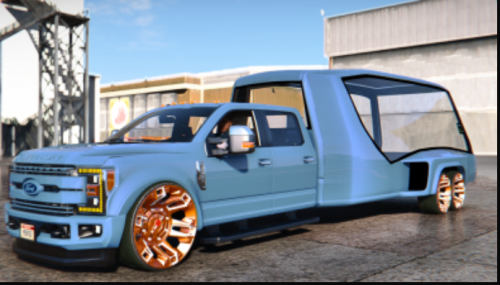 For those asking on how to open the rear hatch, its the convertible drop top keybind (Hold Right D-pad or Hold H) Might look into how to fix the fender
 -
The uploader did not add the __resource.lua which is required to load the file in FiveM. You can use mine, just add the __resource.lua in the same location as the "stream" folder and should be good __resource.lua
-
This error is what's preventing Youtube and the Music from working, I've looked through the code in build.js and buildv.js but having a hard time spotting errors that would prevent it from working. Take a look at the error and maybe someone else can find the issue before I can Error Log: [ c-scripting-core] Creating script environments for gksphone [ script:gksphone] ------------------------------------------------------------------------- [ script:gksphone] [DECRYPTER] Phone finished loading! | https://discoDZ9JtpYj9hrd/ [ script:gksphone] ------------------------------------------------------------------------- [ script:gksphone] Error loading script html/js/build.js in resource gksphone: TypeError: Cannot read properties of undefined (reading 'webpackJsonp') [ script:gksphone] stack: [ script:gksphone] TypeError: Cannot read properties of undefined (reading 'webpackJsonp') [ script:gksphone] at @gksphone/html/js/build.js:2525:38 [ script:gksphone] at @gksphone/html/js/build.js:2536:3 [ c-scripting-core] Failed to load script html/js/build.js. [ script:gksphone] Error loading script html/js/buildv.js in resource gksphone: ReferenceError: window is not defined [ script:gksphone] stack: [ script:gksphone] ReferenceError: window is not defined [ script:gksphone] at @gksphone/html/js/buildv.js:1:1
-
"RecordSite": "", is used for voicemails. Add the link you want the voicemails saved to like so "RecordSite": "www discord.com/notavalidtoken",
-
So it should look like this ----------------------------------------------------- "RaceIdentifier" : { "0": "ec11447k6338615b0124k6d3f8ck08a764576d99" }, And this is how it should look if you decide to add more people to the race editor permissions "RaceIdentifier" : { "0": "ec11447k6338615b0124k6d3f8ck08a764576d99", "1": "ec11447k6338615b0124k6d3f8ck08a764576d99" }, -------------------------------------------------- Hopefully this solves your issues. I will be looking into the Youtube and Music apps when I have time If anyone has other scripts that you might need me to look at send me an IM.
-
So I just looked into the races and got it working. First make sure you have properly installed your esx_lapraces SQL in your database. Now go to [GKS Phone]>gksphone>html>static>config and open "config.json" inside config.js on line 13 you should see "RaceIdentifier" : { "0": " (CID - Citizien ID) " }, You need to add "your" Citizen ID from your database or any other players ID that you want capable of making races.
-
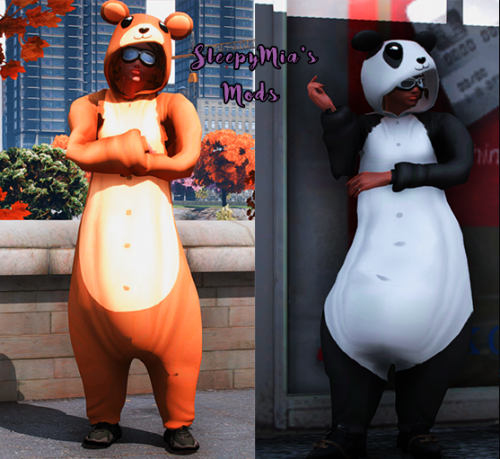 Is for the Female MP Ped only
 -
I will look into the lap races script
-
i've already posted a fix for the camera in the comments, you need voip for voice chat/ calling
-
 Peds are not setup to be FiveM ready lol. still missing the peds.xml and the __resource is blank, it needs resource_manifest_version '77731fab-63ca-442c-a67b-abc70f28dfa5' data_file "PED_METADATA_FILE" "peds.xml" file "peds.xml" You'll need this in the peds.xml and change the TWO "CHANGEME" to the player models name. <?xml version="1.0" encoding="UTF-8"?> <CPedModelInfo__InitDataList> <InitDatas> <Item> <Name>CHANGEME</Name> <PropsName>CHANGEME</PropsName> <ClipDictionaryName>move_f@generic</ClipDictionaryName> <BlendShapeFileName>null</BlendShapeFileName> <ExpressionSetName>expr_set_ambient_female</ExpressionSetName> <ExpressionDictionaryName>null</ExpressionDictionaryName> <ExpressionName>null</ExpressionName> <Pedtype>COP</Pedtype> <MovementClipSet>move_m@tool_belt@a</MovementClipSet> <StrafeClipSet>move_ped_strafing</StrafeClipSet> <MovementToStrafeClipSet>move_ped_to_strafe</MovementToStrafeClipSet> <InjuredStrafeClipSet>move_strafe_injured</InjuredStrafeClipSet> <FullBodyDamageClipSet>dam_ko</FullBodyDamageClipSet> <AdditiveDamageClipSet>dam_ad</AdditiveDamageClipSet> <DefaultGestureClipSet>ANIM_GROUP_GESTURE_F_GENERIC</DefaultGestureClipSet> <FacialClipsetGroupName>facial_clipset_group_gen_female</FacialClipsetGroupName> <DefaultVisemeClipSet>ANIM_GROUP_VISEMES_F_LO</DefaultVisemeClipSet> <SidestepClipSet>CLIP_SET_ID_INVALID</SidestepClipSet> <PoseMatcherName>Male</PoseMatcherName> <PoseMatcherProneName>Male_prone</PoseMatcherProneName> <GetupSetHash>NMBS_SLOW_GETUPS</GetupSetHash> <CreatureMetadataName>null</CreatureMetadataName> <DecisionMakerName>COP</DecisionMakerName> <MotionTaskDataSetName>STANDARD_PED</MotionTaskDataSetName> <DefaultTaskDataSetName>STANDARD_PED</DefaultTaskDataSetName> <PedCapsuleName>STANDARD_MALE</PedCapsuleName> <PedLayoutName /> <PedComponentSetName /> <PedComponentClothName /> <PedIKSettingsName /> <TaskDataName /> <IsStreamedGfx value="false" /> <AmbulanceShouldRespondTo value="true" /> <CanRideBikeWithNoHelmet value="false" /> <CanSpawnInCar value="true" /> <IsHeadBlendPed value="false" /> <bOnlyBulkyItemVariations value="false" /> <RelationshipGroup>COP</RelationshipGroup> <NavCapabilitiesName>STANDARD_PED</NavCapabilitiesName> <PerceptionInfo>DEFAULT_PERCEPTION</PerceptionInfo> <DefaultBrawlingStyle>BS_AI</DefaultBrawlingStyle> <DefaultUnarmedWeapon>WEAPON_UNARMED</DefaultUnarmedWeapon> <Personality>Streamed_Male</Personality> <CombatInfo>DEFAULT</CombatInfo> <VfxInfoName>VFXPEDINFO_HUMAN_GENERIC</VfxInfoName> <AmbientClipsForFlee>FLEE</AmbientClipsForFlee> <Radio1>RADIO_GENRE_SURF</Radio1> <Radio2>RADIO_GENRE_REGGAE</Radio2> <FUpOffset value="0.000000" /> <RUpOffset value="0.000000" /> <FFrontOffset value="0.000000" /> <RFrontOffset value="0.147000" /> <MinActivationImpulse value="20.000000" /> <Stubble value="0.000000" /> <HDDist value="3.000000" /> <TargetingThreatModifier value="1.000000" /> <KilledPerceptionRangeModifer value="-1.000000" /> <Sexiness>SF_HOT_PERSON</Sexiness> <Age value="0" /> <MaxPassengersInCar value="0" /> <ExternallyDrivenDOFs /> <PedVoiceGroup>S_M_M_FIBOFFICE_01_R2PVG</PedVoiceGroup> <AnimalAudioObject /> <AbilityType>SAT_NONE</AbilityType> <ThermalBehaviour>TB_WARM</ThermalBehaviour> <SuperlodType>SLOD_HUMAN</SuperlodType> <ScenarioPopStreamingSlot>SCENARIO_POP_STREAMING_NORMAL</ScenarioPopStreamingSlot> <DefaultSpawningPreference>DSP_NORMAL</DefaultSpawningPreference> <DefaultRemoveRangeMultiplier value="1.000000" /> <AllowCloseSpawning value="false" /> </Item> </InitDatas> </CPedModelInfo__InitDataList> That should be it, start the resource
 -
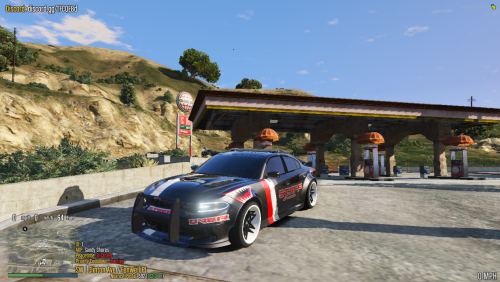 Lights are broken, Easily can be fixed
 -
.thumb.png.2b0fa9e408d472495629b9e82a218218.png) Both scripts Confirmed Working, Casino interior or exterior MLOs are corrupted and need to be replaced with your working casino interior in order to work, you'll also have to adjust the coordinates in the slots config & spin wheel to get it to work with your casino or find the original casino provided with the mod but uncorrupted. Don't forget to set your game version 2060 or higher
Both scripts Confirmed Working, Casino interior or exterior MLOs are corrupted and need to be replaced with your working casino interior in order to work, you'll also have to adjust the coordinates in the slots config & spin wheel to get it to work with your casino or find the original casino provided with the mod but uncorrupted. Don't forget to set your game version 2060 or higher -
How to fix the camera You need to edit the config.json you can find it here html/static/config/config.json Look for 'photowebhook' (should be at the very top. Was for me) you should see "" beside it. In between the two quotes. You need to paste in a discord webhook. Just make a webhook in a private channel on your discord and copy the URL and past it inbetween the quotes. So it should look something like 'photowebhook' = "" To 'photowebhook' = "https://yourdiscordwebhook.com/it-might-be-long-af-just-make-sure-its-in-the-quotes" (Reminder, every picture taken will be sent to that discord channel you made the webhook in) Restart server and boom. Should work. ? Lemme know if I should work on figuring out how to fix anything else ?