.png.8e1932637cddb5545967a863af3a105e.png)





.thumb.png.b0f74288d851858a40ab6384e1fd29f7.png)

About This File
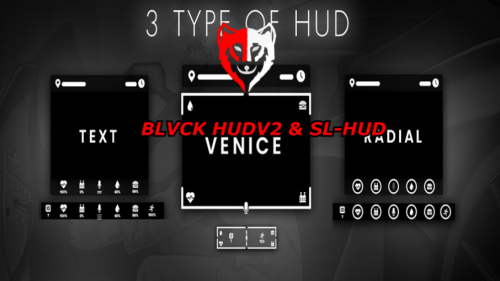
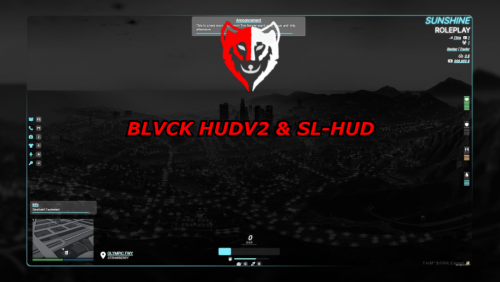
BLVCK HUDV2 & SL-HUD
sl_hud
FIVEM READY
codem-blvckhudv2
FIVEM READY
INSTALLATION GUIDE
1. Download the File
2. Open your Server Files
3. Locate Your Resources Folder
4. Open the folder
5. Drag and Drop the files in the Resources Folder
6. Locate the Server CFG
7. Then Start the files
8. STARTING THEM ensure sl_hud
9. STARTING THEM ensure codem-blvckhudv2

![More information about "[SP] LASD belts"](https://launcherleaks.net/uploads/monthly_2026_09/9-9-2026_164015_discord_com.thumb.jpeg.9f564b330bbd857a949f8b1288a3e2f0.jpeg)









![More information about "[DEV] vest parts, nylon belt parts, and radios"](https://launcherleaks.net/uploads/monthly_2026_06/im.thumb.png.608a69e520e28505fe93119351d1d4d4.png)
![More information about "[FIXED] ONX PD AND EMS VEHICLE PACK"](https://launcherleaks.net/uploads/monthly_2025_08/onx.thumb.png.8c2abbbfab7a859c3780e84748ab6635.png)




.thumb.jpg.036fa65b13e3263ce3bfdf4acc55629c.jpg)



.thumb.png.8dbb6fae4fda0ea4c6c5939d900b3d47.png)




Recommended Comments
Create an account or sign in to comment
You need to be a member in order to leave a comment
Create an account
Sign up for a new account in our community. It's easy!
Register a new accountSign in
Already have an account? Sign in here.
Sign In Now