.png.8e1932637cddb5545967a863af3a105e.png)






About This File
- Prime Minister, President Features
*Update*
- Added timer after finishing the burning cars mission ( bugs should not be found there anymore if so dm me please )
*Description*
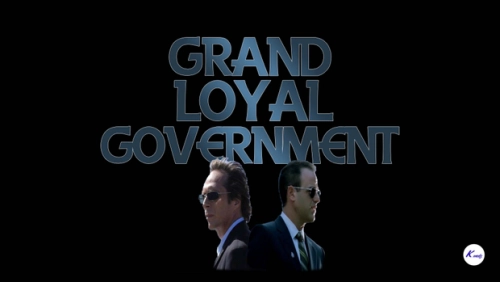
This script aims to give you the feeling of working in the Parliament/Government !
*Features
- Work as a Senator, Secretary, Minister, Senate-President, Prime-Minister, President !
- Do jobs for higher ranks from the government and level up your grade !
- You will have your personal Government badge that will tell you your Name, XP,
Options for your grade level, and the Grade .
- Each Grade has different options !
- Completing a mission will ussually give around 250-500 XP !
In the future ! (Attend to special events for your grade level, be able to work for the left wing and the center wing.)
Grade Levels:
- 1000 ~ 2500 : Senator
- 2500 ~ 5000 : Secretary
- 5000 ~ 10000 : Minister
- 10000 ~ 25000 : Senate-President
- 25000 ~ 50000 : Prime-Minister
- 50000 : President
*Installation*
- Put GLG.dll and GLG Folder into GTA V Directory -> scripts folder .
- Put td_loading_music.awc into GTA V Directory -> mods folder(create one if you haven't!)
-> x64 folder -> audio folder -> sfx folder -> PROLOGUE.rpf .
- Put frontend.ytd into GTA V Directory -> mods folder -> update folder -> update.rpf ->
x64 folder -> textures folder .
- Put loadingscreen_startup.ytd into GTA V Directory -> mods folder -> update folder -> update.rpf -> x64 folder -> data folder -> cdimages folder -> scaleform_frontend.rpf .
- Put GLG.ytd into GTA V dir -> mods -> update -> update.rpf -> x64 -> textures -> script_txds.rpf
*GamePlay*
3 Blips will appear on the map ... Center Wing, Left Wing and the Right Wing...
Currently you can only attend to missions in the right wing as I didn't had time to
fully complete the mod ! Stay tuned for the full release !!!
![More information about "[SP] LASD belts"](https://launcherleaks.net/uploads/monthly_2026_09/9-9-2026_164015_discord_com.thumb.jpeg.9f564b330bbd857a949f8b1288a3e2f0.jpeg)



![More information about "[DEV] vest parts, nylon belt parts, and radios"](https://launcherleaks.net/uploads/monthly_2026_06/im.thumb.png.608a69e520e28505fe93119351d1d4d4.png)
![More information about "[FIXED] ONX PD AND EMS VEHICLE PACK"](https://launcherleaks.net/uploads/monthly_2025_08/onx.thumb.png.8c2abbbfab7a859c3780e84748ab6635.png)




.thumb.jpg.036fa65b13e3263ce3bfdf4acc55629c.jpg)



.thumb.png.8dbb6fae4fda0ea4c6c5939d900b3d47.png)




Recommended Comments
Create an account or sign in to comment
You need to be a member in order to leave a comment
Create an account
Sign up for a new account in our community. It's easy!
Register a new accountSign in
Already have an account? Sign in here.
Sign In Now