.png.8e1932637cddb5545967a863af3a105e.png)






Finessewerqz
-
Posts
42 -
Joined
-
Days Won
1
Content Type
Profiles
Downloads
Release Notes
Store
Everything posted by Finessewerqz
-
rHUD SP — Exact HUD Conversion for GTA V Singleplayer
Finessewerqz commented on Finessewerqz's file in Scripts
 I'll start working on it now
 -
rHUD SP — Exact HUD Conversion for GTA V Singleplayer
Finessewerqz commented on Finessewerqz's file in Scripts
The reason why I removed those Features because it didn't work, and it only works for FiveM. But, I can find a workaround to make the Player and weapon circle, Speed-limit, sign and Nearest Postal row to work -
rHUD SP — Exact HUD Conversion for GTA V Singleplayer
Finessewerqz commented on Finessewerqz's file in Scripts
What do you mean? -
rHUD SP — Exact HUD Conversion for GTA V Singleplayer
Finessewerqz commented on Finessewerqz's file in Scripts
I can edit the script and have a ini for it if you want me to do that -
Version 1.0.0
211 downloads
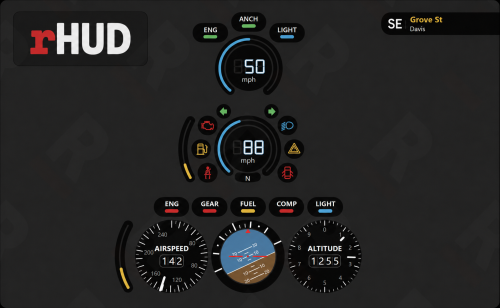
rHUD Singleplayer Edition brings the original rHUD vehicle interface to GTA V Story Mode. It uses ScriptHookVDotNet to collect live information from the game and a transparent overlay to display the original rHUD design. Features: • Vehicle speedometer • Fuel gaugeUpdate this image of what t • Engine-status indicators • Seatbelt system • Vehicle door and lighting indicators • Aircraft airspeed, altitude, pitch and roll • Watercraft HUD • Live compass direction • Current street and area information • Automatic HUD changes for cars, aircraft and boats • F10 HUD toggle • K seatbelt control Removed Features: The following features were removed because they are designed for FiveM servers or were not functioning correctly in GTA V Singleplayer: • AOP status • Priority status • Nearest Postal row • Speed-limit sign • Player and weapon circle The lower compass, street and area panel remains available. Requirements: • Script Hook V • ScriptHookVDotNet 3.7 • Node.js LTS • GTA V Legacy • Borderless Windowed display mode Installation: Copy the included scripts folder into your main GTA V directory. Copy rHUD-Overlay and Install-and-Start-rHUD.bat into the main GTA V directory. Run Install-and-Start-rHUD.bat. Allow the first-time overlay installation to finish. Leave the rHUD command window running. Launch GTA V in Borderless Windowed mode. Load Story Mode and enter a vehicle. The rHUD overlay must be started before launching the game. If the HUD does not appear, press F10 once and confirm the red rHUD icon is running in the Windows system tray. Original rHUD interface credit belongs to its original creator.Free -
 It would be really nice if you made it els
 -
(SP)Highway Patrol MLO - BadBoss (Don't Enable MP)
Finessewerqz commented on sam jokerc's file in MLOs
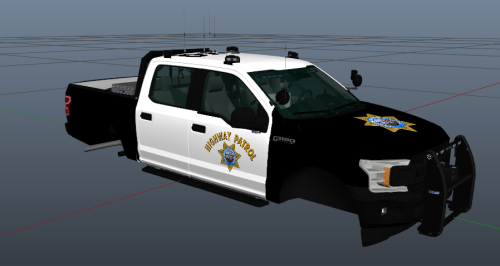
 It works for me
 -
(SP)Highway Patrol MLO - BadBoss (Don't Enable MP)
Finessewerqz commented on sam jokerc's file in MLOs
It works for me -
 Does anyone have the 3.5 yet?
 -
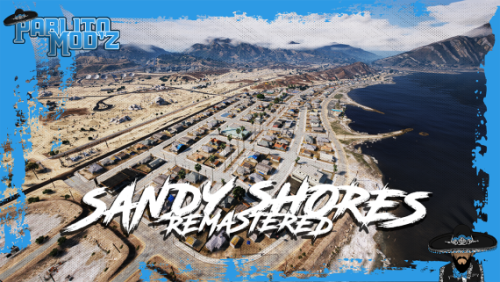 Looks amazing!
 -
 No
No -
Version 3.0.0
784 downloads
BlueLine v3.0 Is Here – Full Leak InsideFree -
W
-
New Hampshire Sate Police Car Pack
Finessewerqz commented on Finessewerqz's file in Vehicle Downloads
 I am aware of this issue. I am working on it right now.
 -
New Hampshire Sate Police Car Pack
Finessewerqz commented on Finessewerqz's file in Vehicle Downloads
I will fix it in a few minutes. Thanks for letting me know -
Version 1.0.0
106 downloads
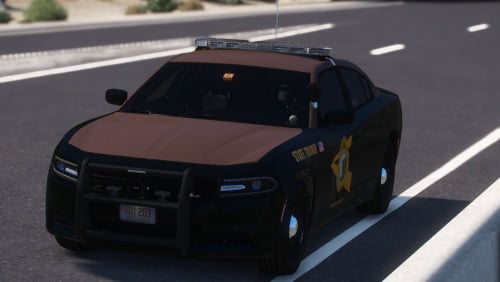
Hey guys! This is a small New Hampshire State Police car pack. It is also ELS and singleplayer only. Enjoy! The cars are 2014 Charger, 2018 Charger, 2018 Slicktop ChargerFree